> ## Documentation Index
> Fetch the complete documentation index at: https://captivatedllc.mintlify.site/llms.txt
> Use this file to discover all available pages before exploring further.
# Two-Factor Authentication (2FA)
> Add an extra layer of security to your Captivated account by requiring a verification code each time you sign in.
Two-Factor Authentication (2FA) helps protect your Captivated account by requiring a verification code in addition to your password.
When 2FA is enabled, a **6-digit verification code** is sent via text message to your mobile phone each time you sign in. You'll need to enter this code to complete the login process.
## Enable Two-Factor Authentication
To turn on 2FA:
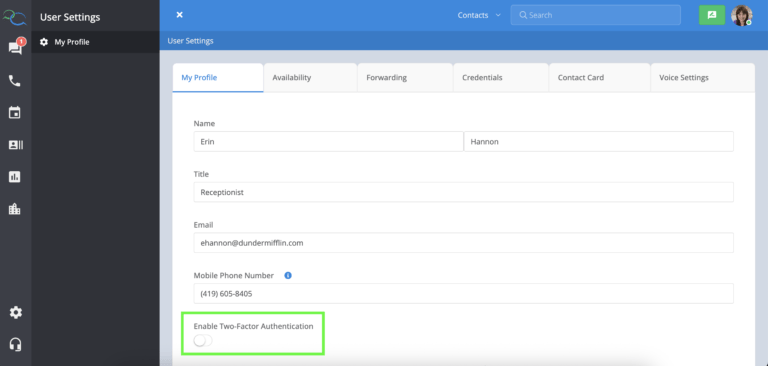
1. Select your **profile avatar**.
2. Choose **My Profile**.
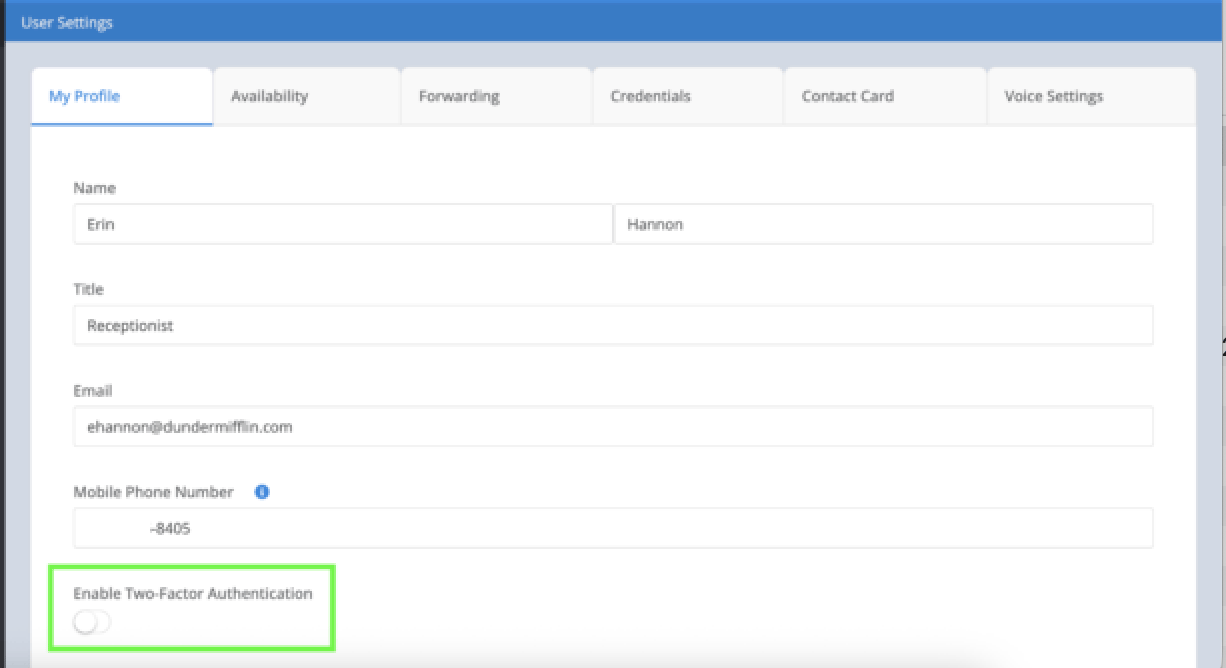
3. Turn on the **Enable Two-Factor Authentication** toggle.
4. Save your changes, if prompted.
 ## Before You Enable 2FA
Before enabling Two-Factor Authentication, make sure your **mobile phone number** is saved in your profile. This number is used to send your verification code each time you sign in.
If your mobile phone number isn't available or can't be edited, contact your Captivated Administrator.
## Best Practices
For the best account security:
* Enable Two-Factor Authentication on your account.
* Keep your mobile phone number up to date.
Never share your verification code with anyone.
## Before You Enable 2FA
Before enabling Two-Factor Authentication, make sure your **mobile phone number** is saved in your profile. This number is used to send your verification code each time you sign in.
If your mobile phone number isn't available or can't be edited, contact your Captivated Administrator.
## Best Practices
For the best account security:
* Enable Two-Factor Authentication on your account.
* Keep your mobile phone number up to date.
Never share your verification code with anyone.